Built for independent repair shops
Phone Repair Shop Software for Managing Repair Tickets, POS, and Inventory
- Manage repair tickets in one system
- Track technician workflow and repair progress
- Handle POS checkout and inventory together
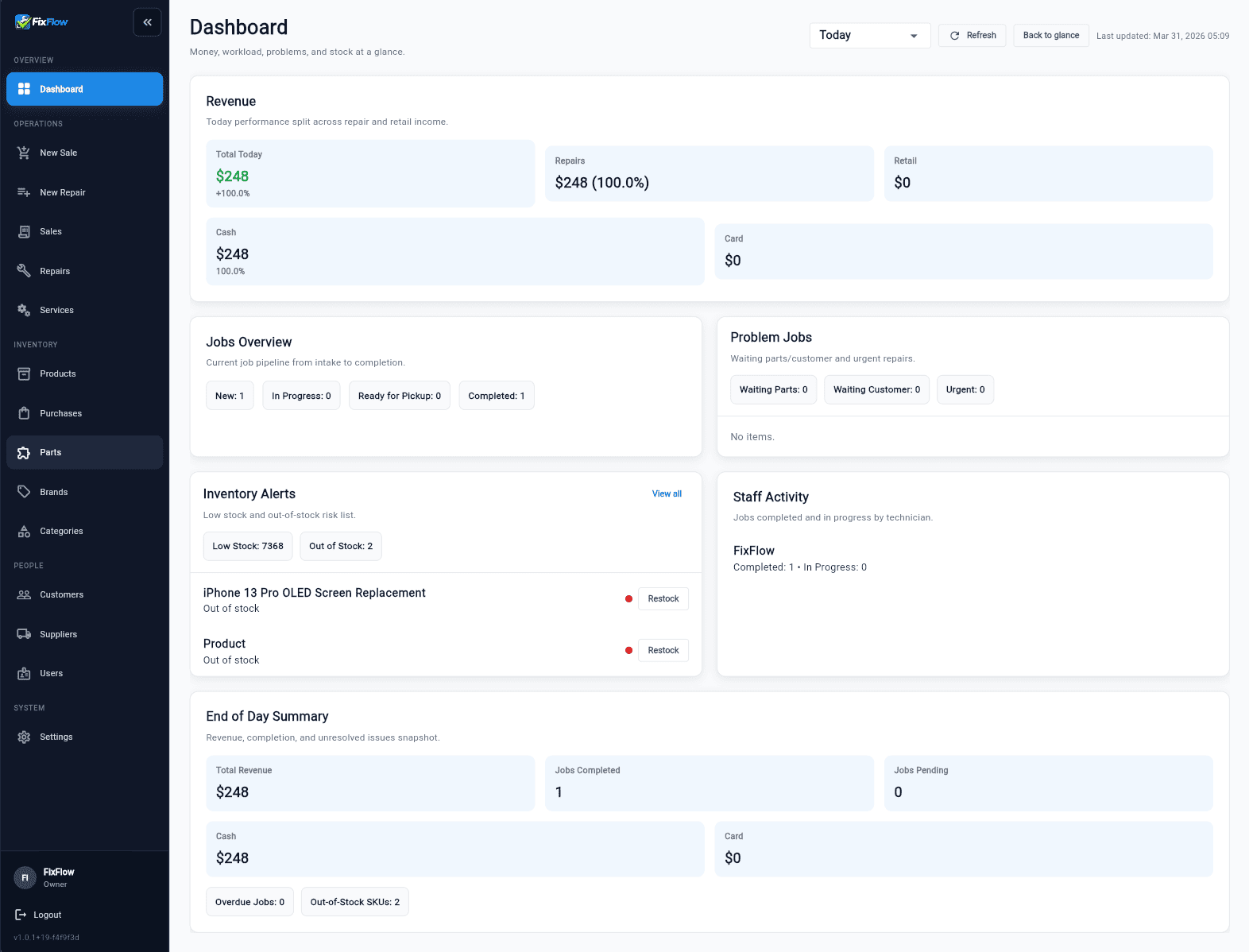
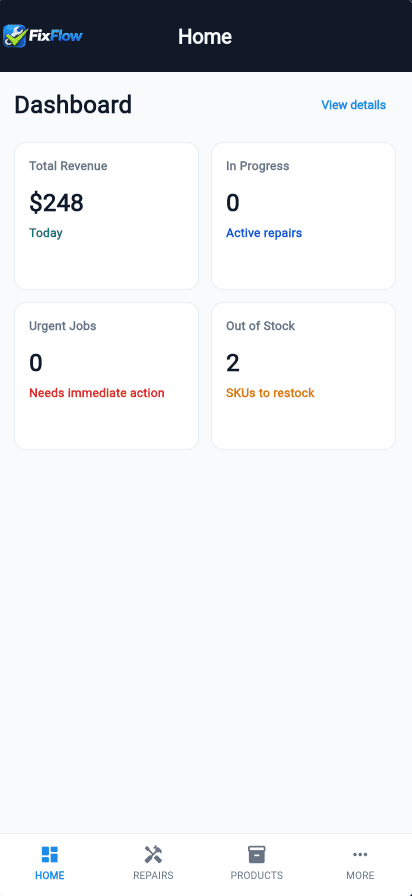
Built for real repair workflows.
Not generic POS or CRM systems.
FixFlowSoftware in action.
Problems
Three problems make repair work harder than it should be.
Lost repair tickets
Jobs get lost between paper notes and messages.
Unclear technician workflow
Repairs move without clear status or ownership.
Manual tracking mistakes
Parts, repairs, and payments are tracked separately.
Difference
Compare generic tools with software built for real repair workflows.
Other tools
- Generic POS or CRM
- Separate systems for tickets and inventory
- No structured repair workflow
FixFlowSoftware
- Built for phone repair shops
- One system for tickets, workflow, phone repair POS software, and repair shop inventory management software
- Designed around real repair processes
How It Works
A simple repair workflow your team can follow every day.
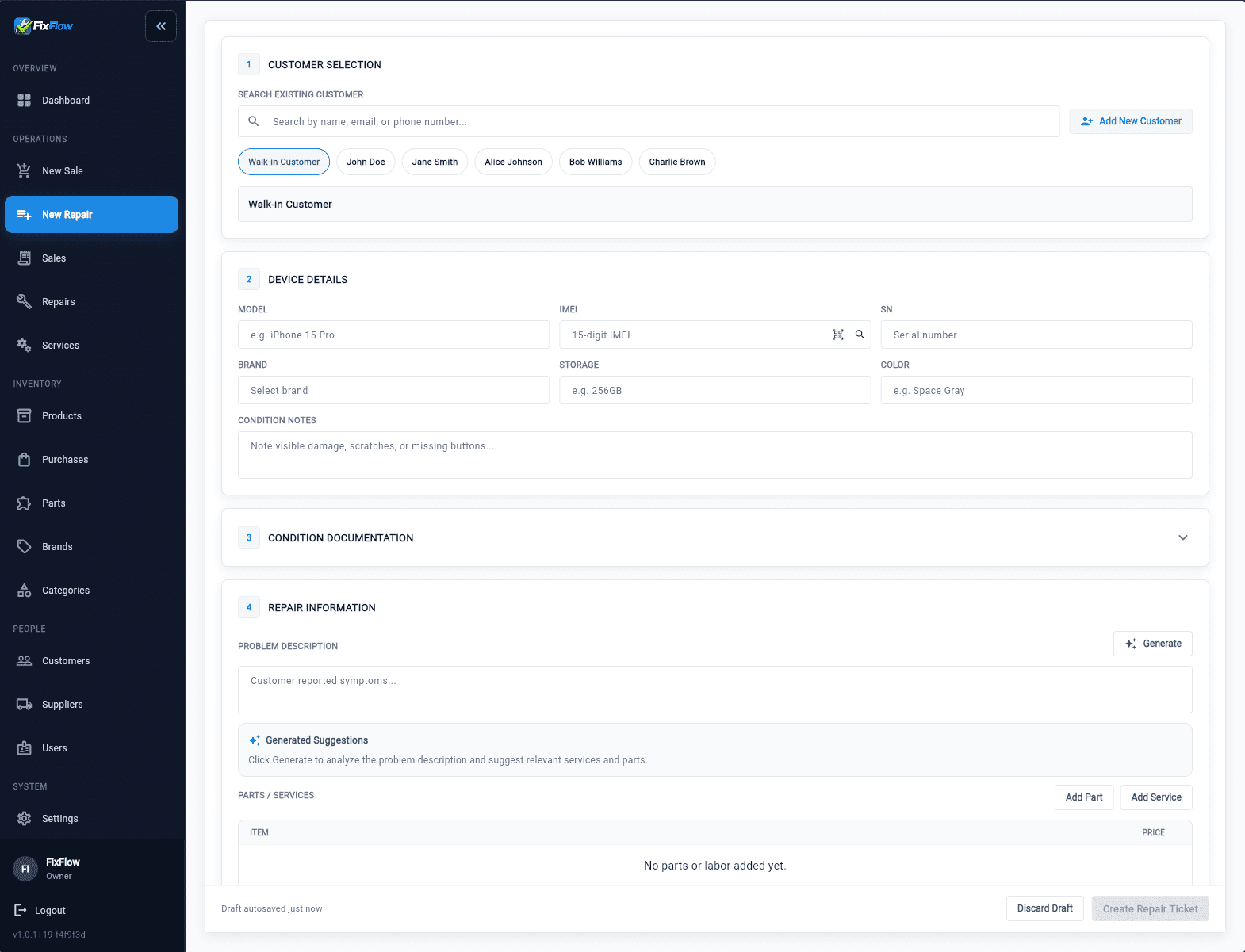
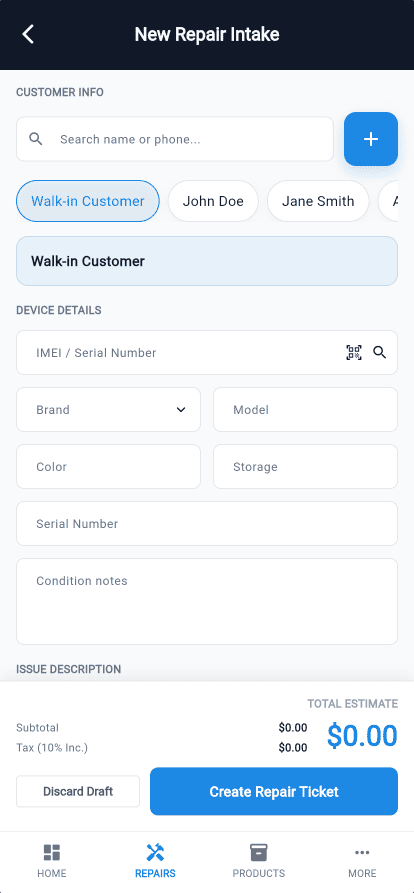
Create a repair ticket
Log the customer, device, issue, and estimate.
Assign technician and track progress
Assign the job and monitor progress in real time.
Update repair status and parts used
Update status and parts used in the same workflow.
Complete checkout with POS
Finish pickup and payment in one flow.
One workflow from ticket to checkout.
Built to reduce tool switching across the shop.
Core Features
Explore the core product pages that support repair-shop operations.
Repair ticket management software
Track repairs from intake to pickup.
Repair ticket management softwarePhone repair POS software
Complete repair checkout in one flow.
Phone repair POS softwareRepair shop inventory management software
Track parts and stock in one system.
Repair shop inventory management softwareRepair Workflow
Repair ticket management software that keeps every handoff clear.
- Track every repair in one place
- Assign technicians and monitor progress
- Use a clearer repair tracking system
Counter Checkout
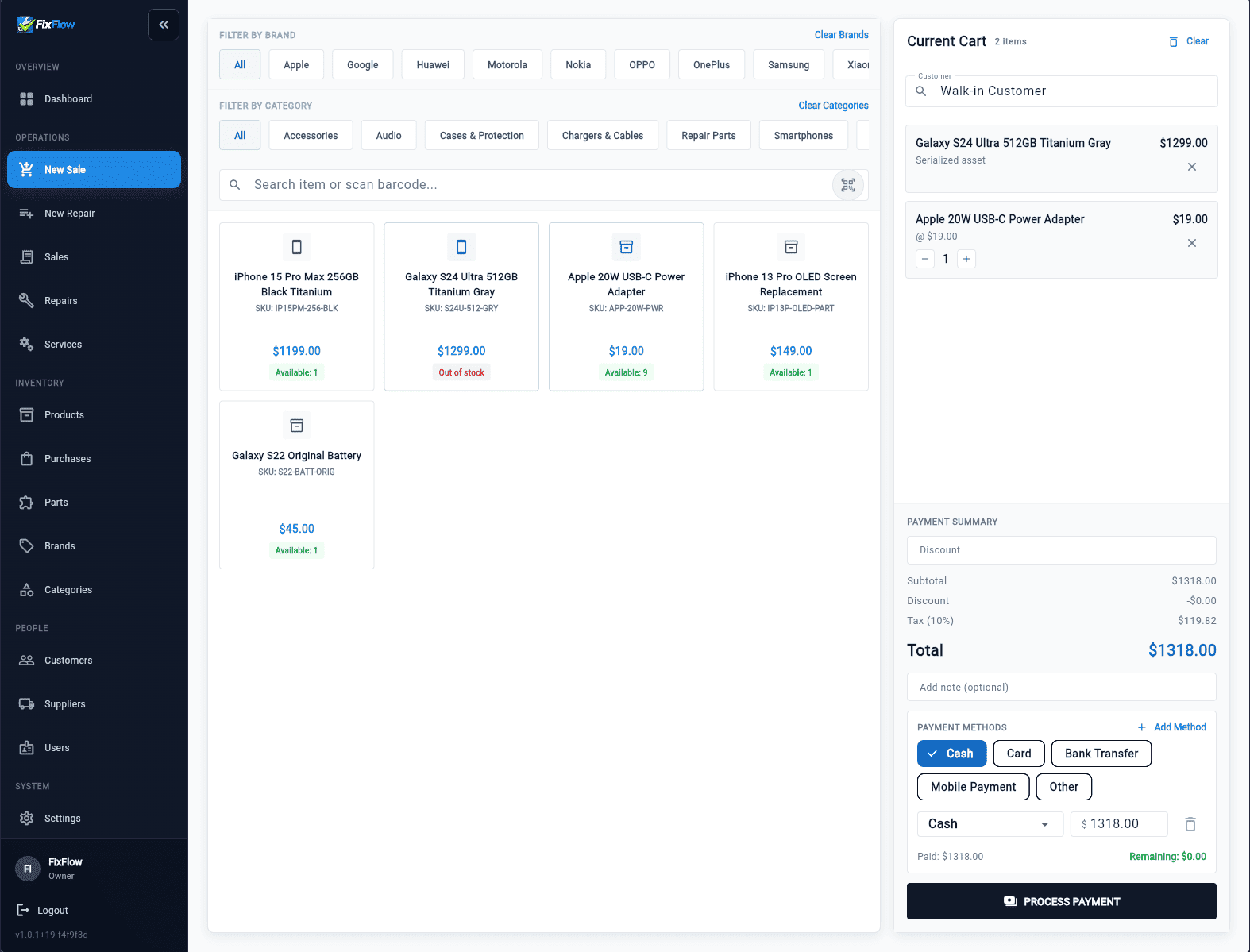
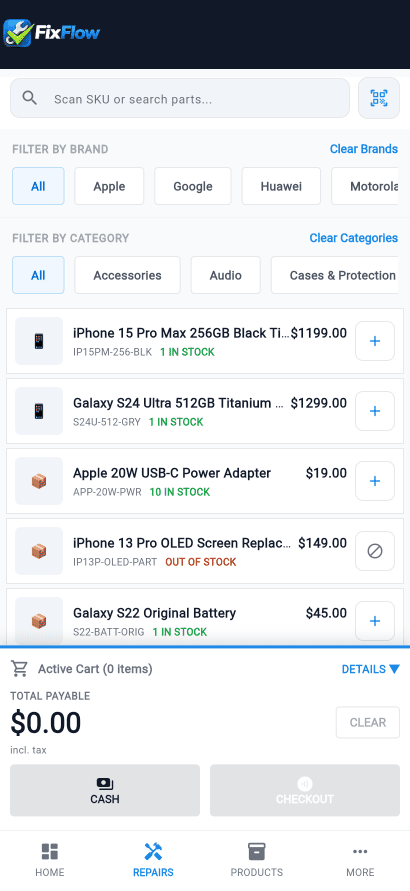
Phone repair POS software for faster counter checkout.
- Build carts in the same system
- Keep payment tied to repair context
- Avoid separate register workflows
Inventory And Control
Keep inventory, customers, and device tracking close to the daily workflow.
Repair inventory visibility
Track parts and pricing from one trusted catalog.
Repair inventory visibilityCustomer and team context
Keep customer details and staff access close to the job.
Customer and team contextIMEI and purchasing control
Track inbound stock and serialized devices in one workflow.
IMEI and purchasing controlUse Cases
Built for repair businesses at different stages of growth.
Small repair shops
Run tickets, parts, and checkout in one system.
See the repair ticket management softwareGrowing repair businesses
Give technicians clearer handoffs and better stock visibility.
See inventory workflows for growing shopsMulti-location repair chains
Standardize repair workflow across stores.
View the full phone repair shop software overviewCompare
Compare FixFlowSoftware with other repair shop systems.
Explore comparison pages built for repair software buyers.
Compare repair shop software options
Compare repair shop software optionsRepairDesk alternative for small phone shops
RepairDesk alternative for small phone shopsRepairShopr alternative for repair-first teams
RepairShopr alternative for repair-first teamsCellSmart POS alternative for phone repair stores
CellSmart POS alternative for phone repair storesRepairQ alternative for phone repair stores
RepairQ alternative for phone repair storesRepair Pilot alternative for growing repair shops
Repair Pilot alternative for growing repair shopsGuides
Learn the workflow behind better repair tracking.
Read the guide for phone repair workflow setup.
Repair workflow guide for phone repair shops
Repair workflow guide for phone repair shopsFAQ
Questions shops ask before they try it.
What happens after I submit the demo form?
You go straight into the live demo after the short form submits.
Do I need to start a free trial to look around?
No. The live demo lets you inspect the workflow before deciding whether you want an account.
What does free trial mean right now?
If you want your own workspace instead of the shared demo, the free-trial path takes you directly to signup.
Can staff use FixFlow away from one desktop?
Yes. FixFlow includes desktop and mobile workflows for intake, repair updates, and checkout.
Try The Product First
Use the live demo to see the workflow before you commit to anything.
Open the demo first, then start your own workspace when ready.